IGIT Related Posts With Thumb
Complete Plugin Guide (Free & Pro)
Looking for the best way to display related posts on your WordPress site? IGIT Related Posts With Thumb is a powerful WordPress plugin that automatically shows related articles with thumbnail images after your post content — helping you reduce bounce rate, increase page views, and keep readers engaged longer.
This guide covers everything you need to know about both the Free and Pro versions — every feature, every setting, and every benefit — so you can decide which version is right for your site.
What Is IGIT Related Posts With Thumb?
A WordPress plugin that intelligently finds and displays posts related to the one your visitor is currently reading. It matches content using categories, tags, full-text similarity, author, or custom series — and presents results in beautiful, responsive layouts with thumbnail images.
Unlike basic related post plugins that simply list links, IGIT Related Posts provides 6 different layout styles, smart image fallbacks, per-post overrides, transient caching, and a fully featured admin settings panel — all in the free version.
Free Plugin — All Features Explained
The free version of IGIT Related Posts With Thumb is packed with features that many other plugins only offer in their premium tiers. Here is a complete breakdown of everything included.
6 Beautiful Layout Options & Display Controls
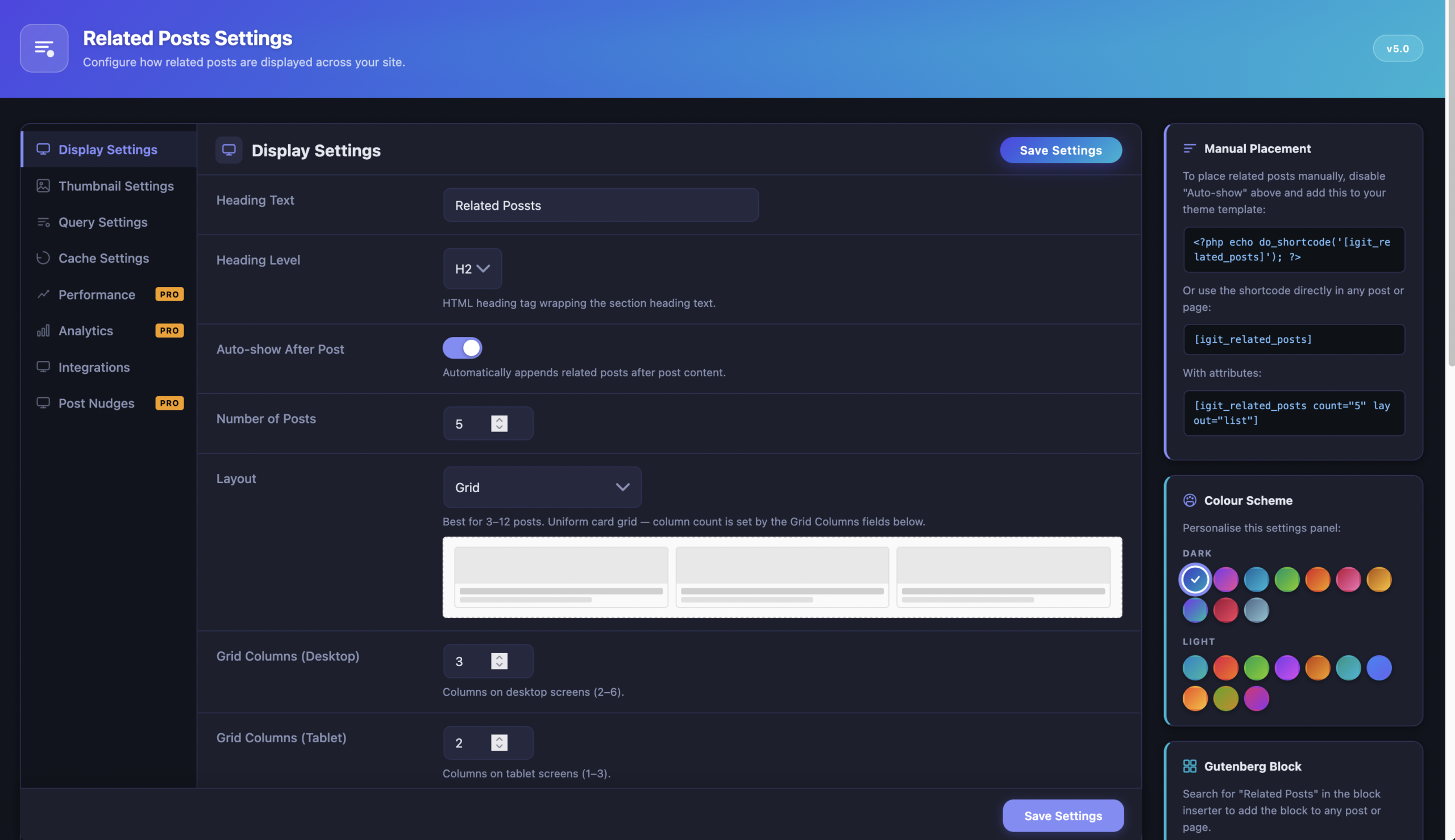
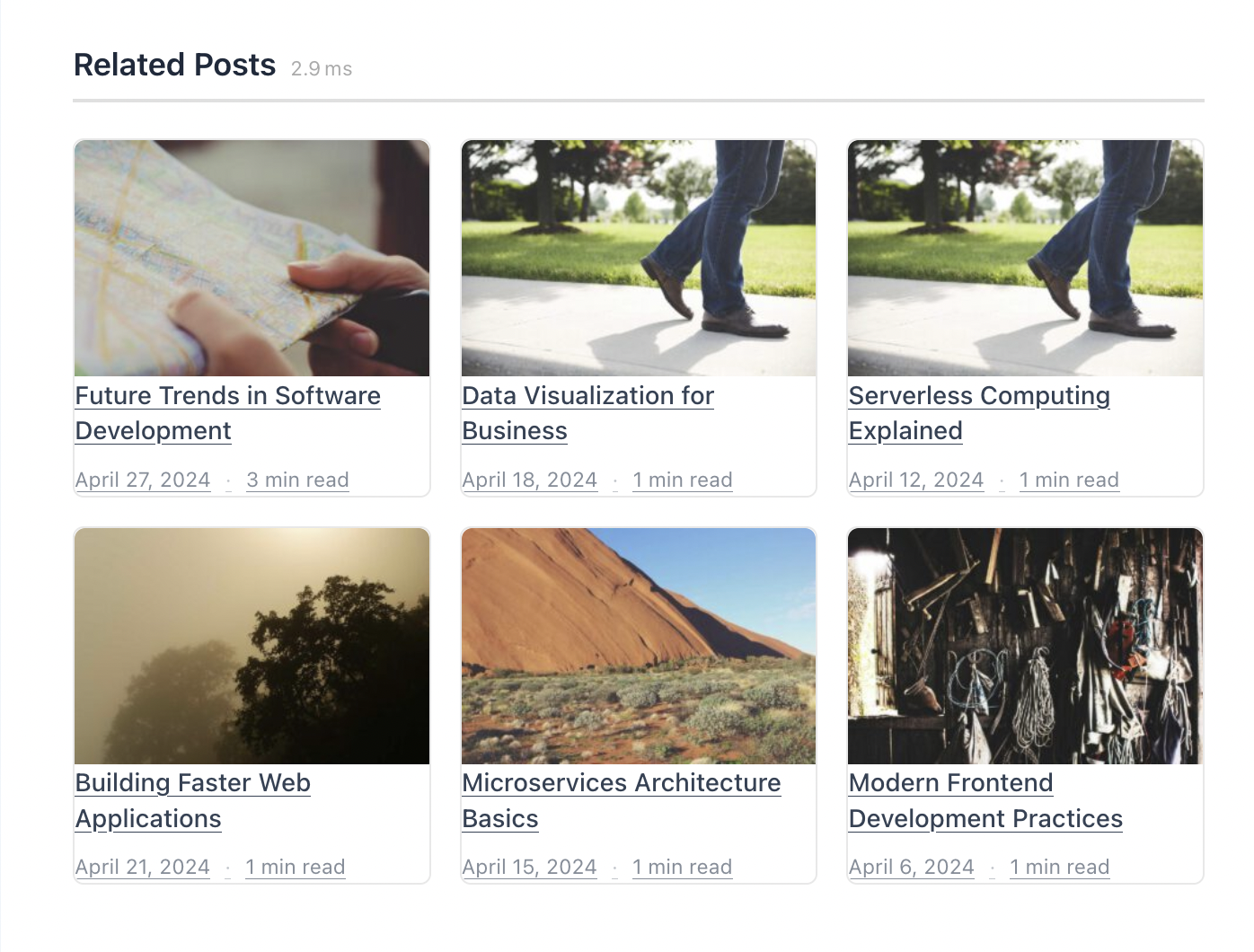
Choose from six distinct layout styles to match your theme’s design. Every layout is fully responsive and adapts to all screen sizes. As soon as you activate the plugin, it automatically appends a related posts section after every single post — inside the main WordPress loop only.
| Layout | Description | Best For |
|---|---|---|
| Grid | CSS grid with configurable columns (2–6 desktop, 1–3 tablet, 1–2 mobile) | Most blogs and magazines — the default |
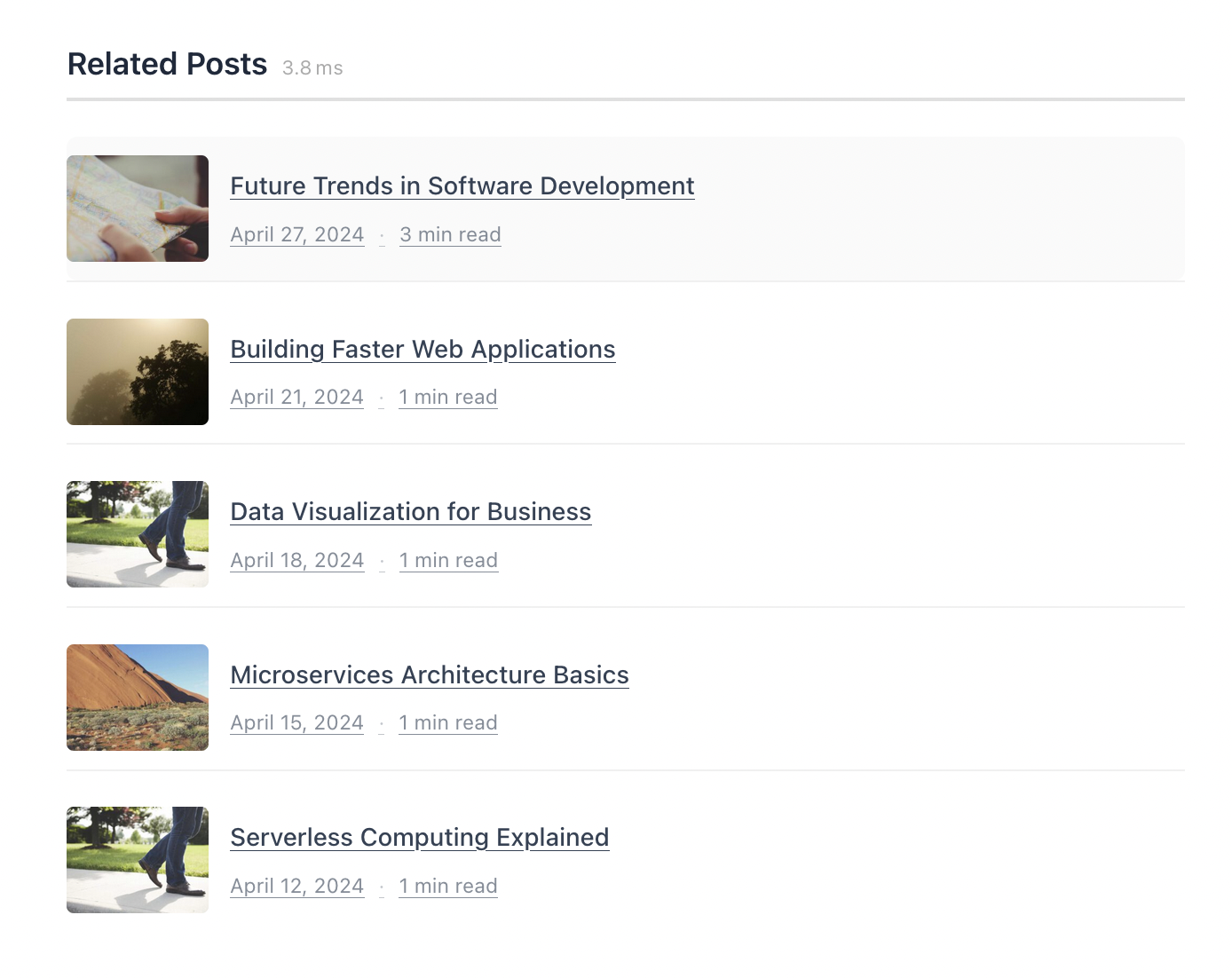
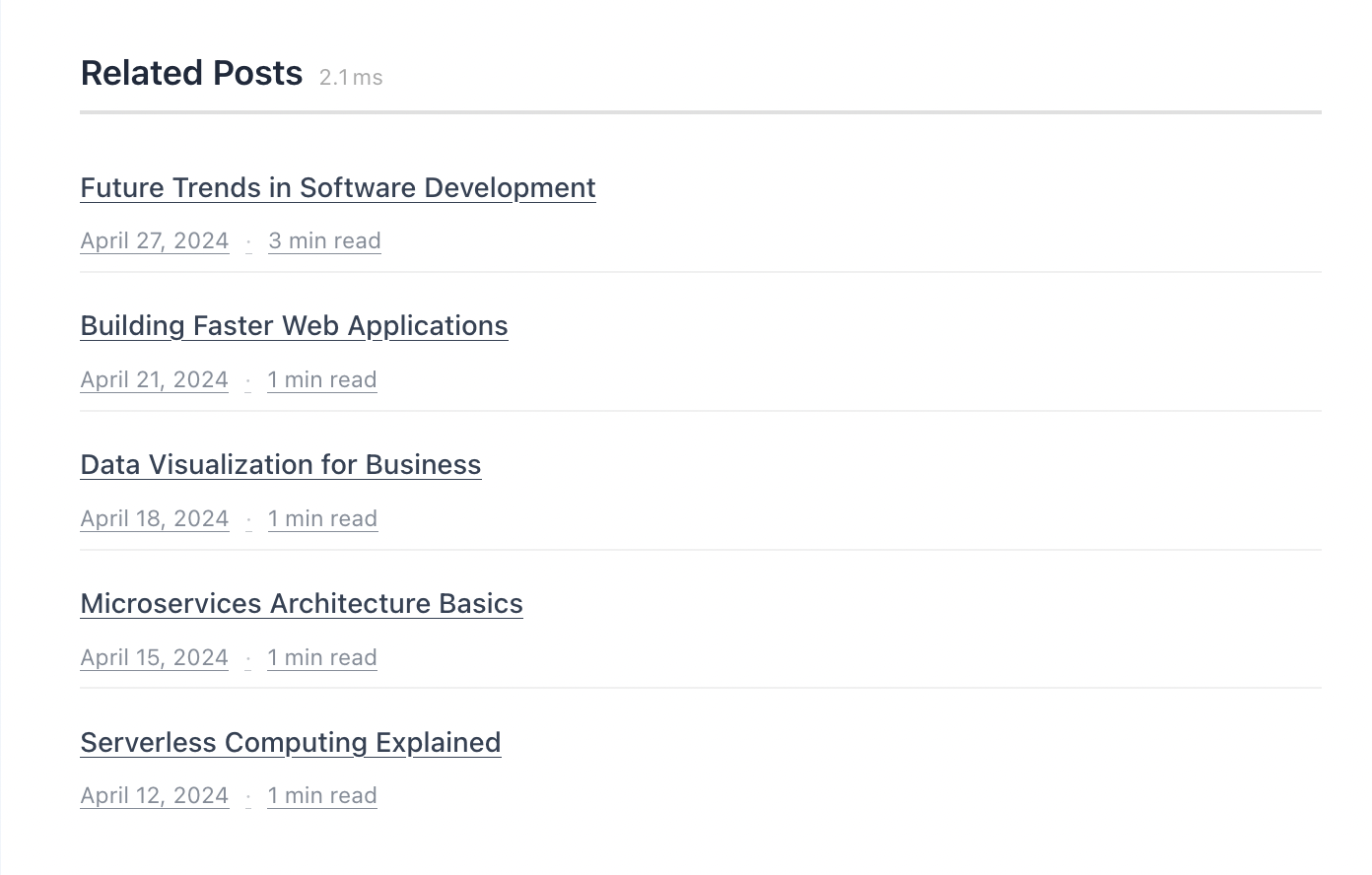
| List | Vertical stacked list with horizontal thumbnail beside each title | Sidebars and narrow content areas |
| Compact | Text-only list — no thumbnails, just clean linked titles | Minimal designs, fast-loading pages |
| Masonry | Pinterest-style masonry grid with auto-sizing rows | Visual portfolios and image-heavy blogs |
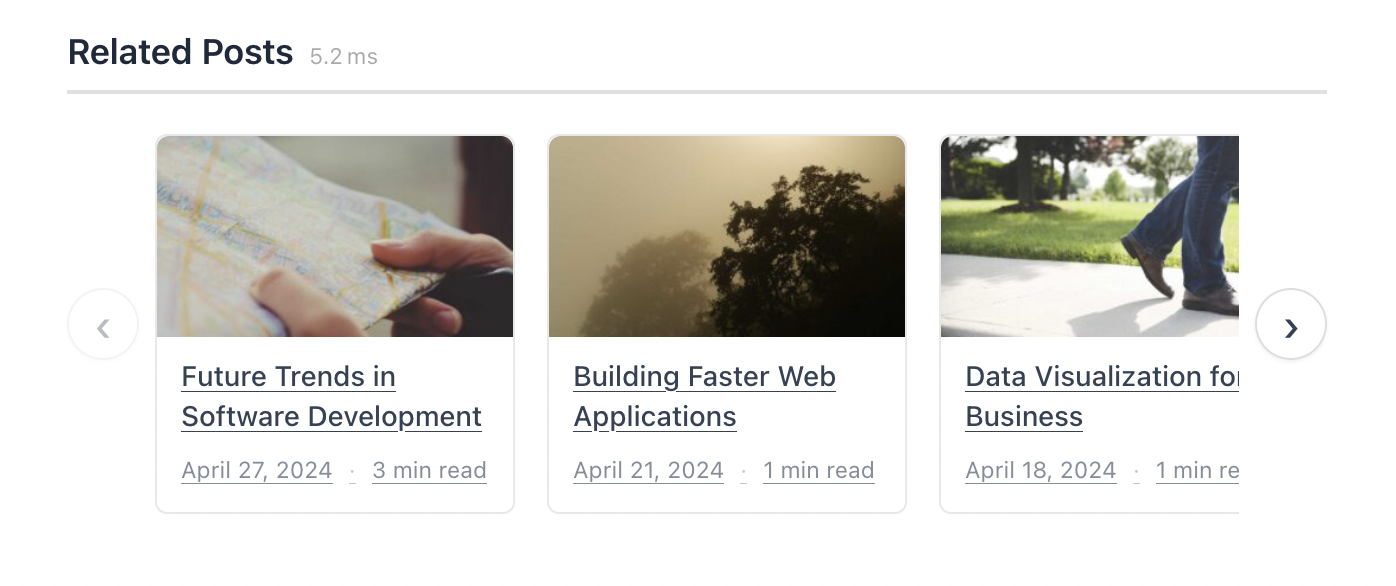
| Carousel | Horizontal scrolling carousel with auto-play and drag | Interactive, engaging experience |
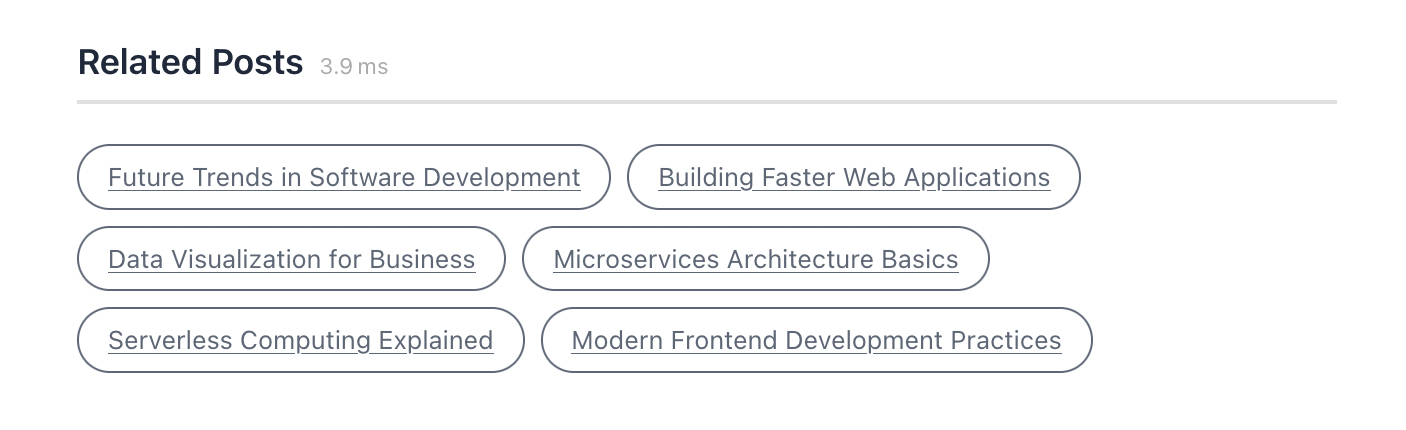
| Chip / Pill | Compact inline pill-shaped links with minimal footprint | FAQ pages, documentation |
Display Options & Metadata
Control exactly what information appears on each related post card:
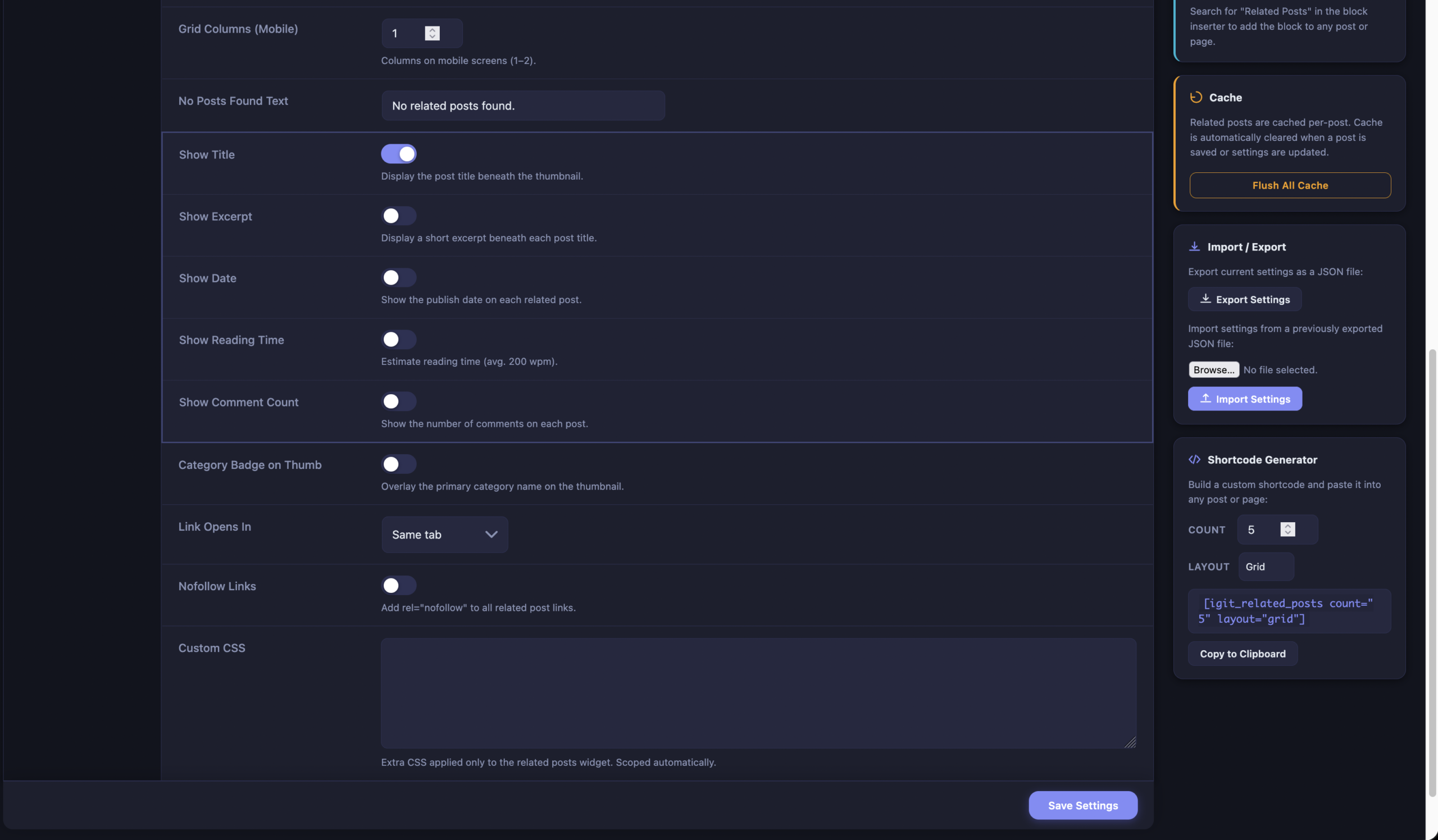
- Post title — Show or hide the post title beneath the thumbnail
- Excerpt — Display a short excerpt (configurable: 10–30 words)
- Publish date — Show when the post was published
- Reading time — Estimated at 200 words per minute
- Comment count — Display number of comments on each post
- Category badge — Overlay the primary category name on the thumbnail
- Custom heading — Change section heading text and level (H2, H3, or H4)
- Link behavior — Same tab or new tab, with optional
rel="nofollow" - Custom CSS — Add your own CSS rules scoped to the related posts section
Smart Thumbnail System
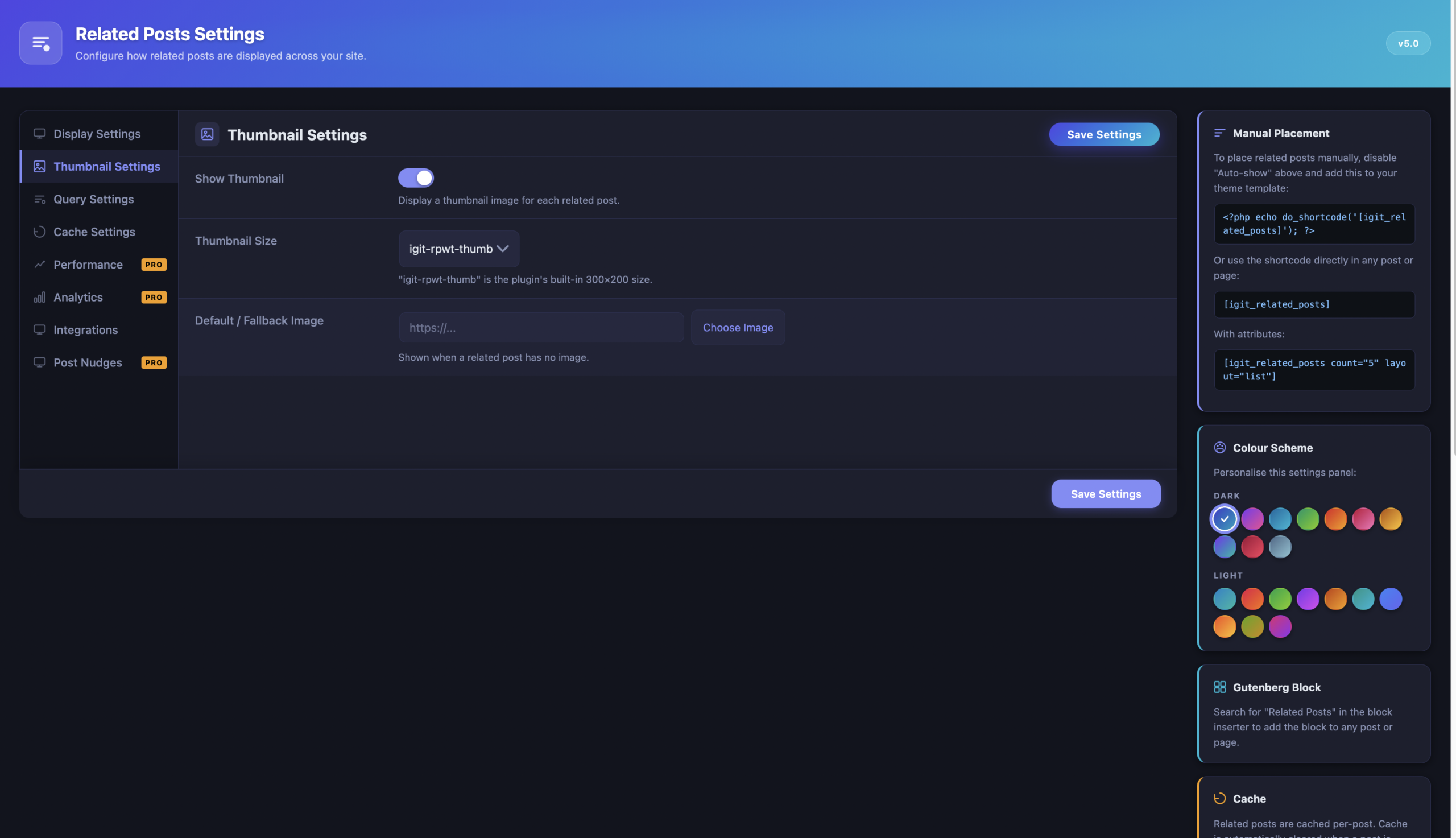
Every related post can display a thumbnail image. The plugin uses a smart 5-level fallback system to always find the best available image:
- Featured image — Uses the post’s set featured image (post thumbnail) first
- First attached image — Falls back to the first image uploaded to the post
- First image in content — Scans the post content for the first
<img>tag (same domain only for security) - Default image — Uses the fallback image you set in settings via the WordPress Media Library picker
- Built-in placeholder — As a last resort, uses a bundled
noimage.gifso the layout never breaks
The plugin registers its own optimized image size (300×200 pixels, hard-cropped) called igit-rpwt-thumb, but you can switch to any registered WordPress image size — thumbnail, medium, large, or any custom size your theme defines.
6 Ways to Find Related Posts
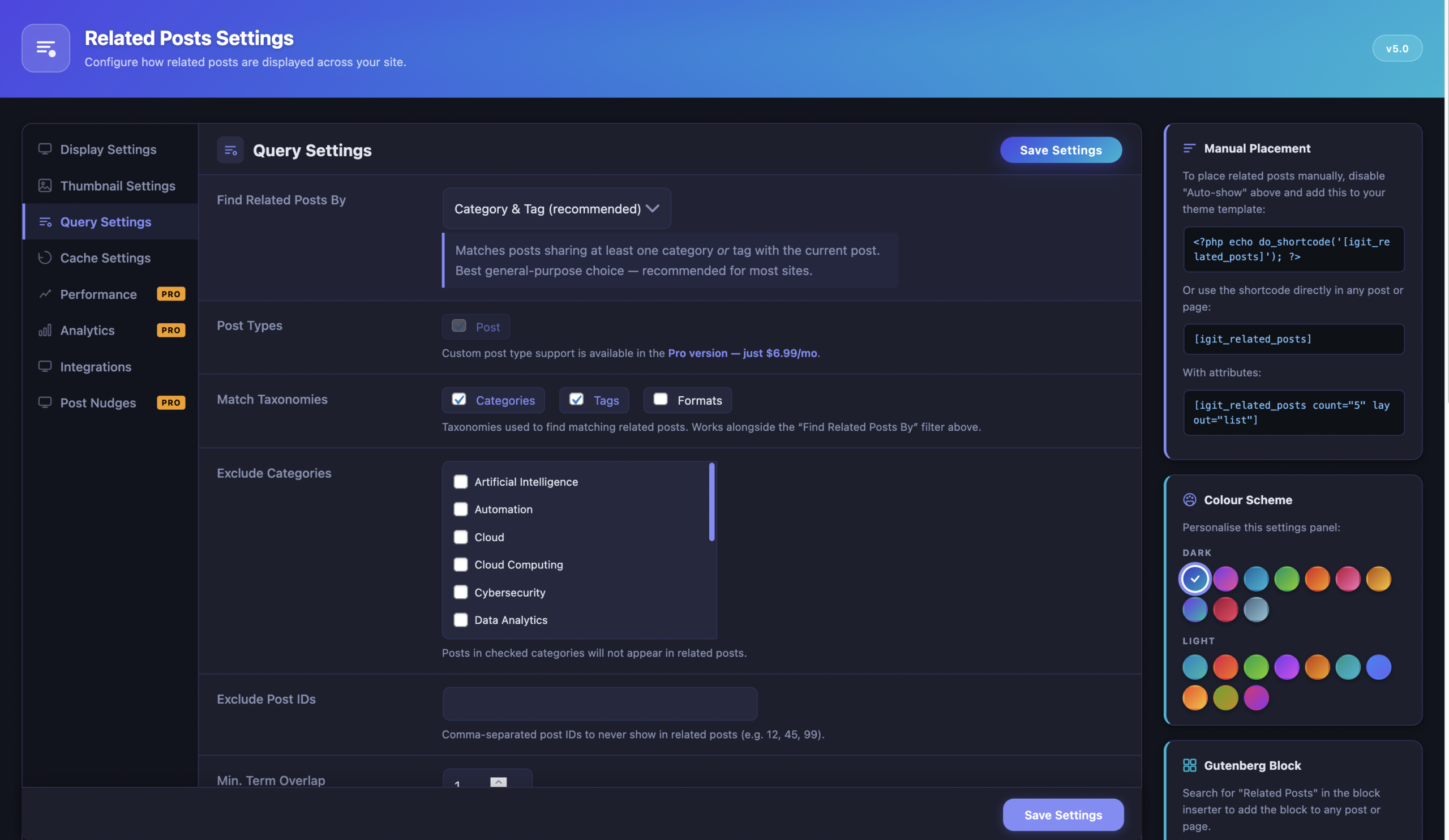
The plugin offers six different matching strategies so you can control exactly how “related” is defined:
- Category & Tag (recommended) — Finds posts sharing any category OR any tag with the current post. Default and works best for most sites.
- Category Only — Matches only on categories, ignoring tags. Good for sites with clear category hierarchy.
- Tag Only — Matches only on tags. Useful when categories are broad but tags are specific.
- Content Similarity (Full-Text) — Extracts top 10 keywords from title and content, then uses MySQL FULLTEXT search. Falls back to WordPress search if no FULLTEXT index exists.
- Same Author — Shows other posts by the same author. Perfect for multi-author blogs.
- Series — Uses the built-in
igit_seriescustom taxonomy to group posts into named series. Only posts in the same series are shown.
Advanced Query Controls
Fine-tune which posts appear in your related posts section:
- Number of posts — Show 1 to 20 related posts (default: 5)
- Exclude categories — Check off categories whose posts should never appear
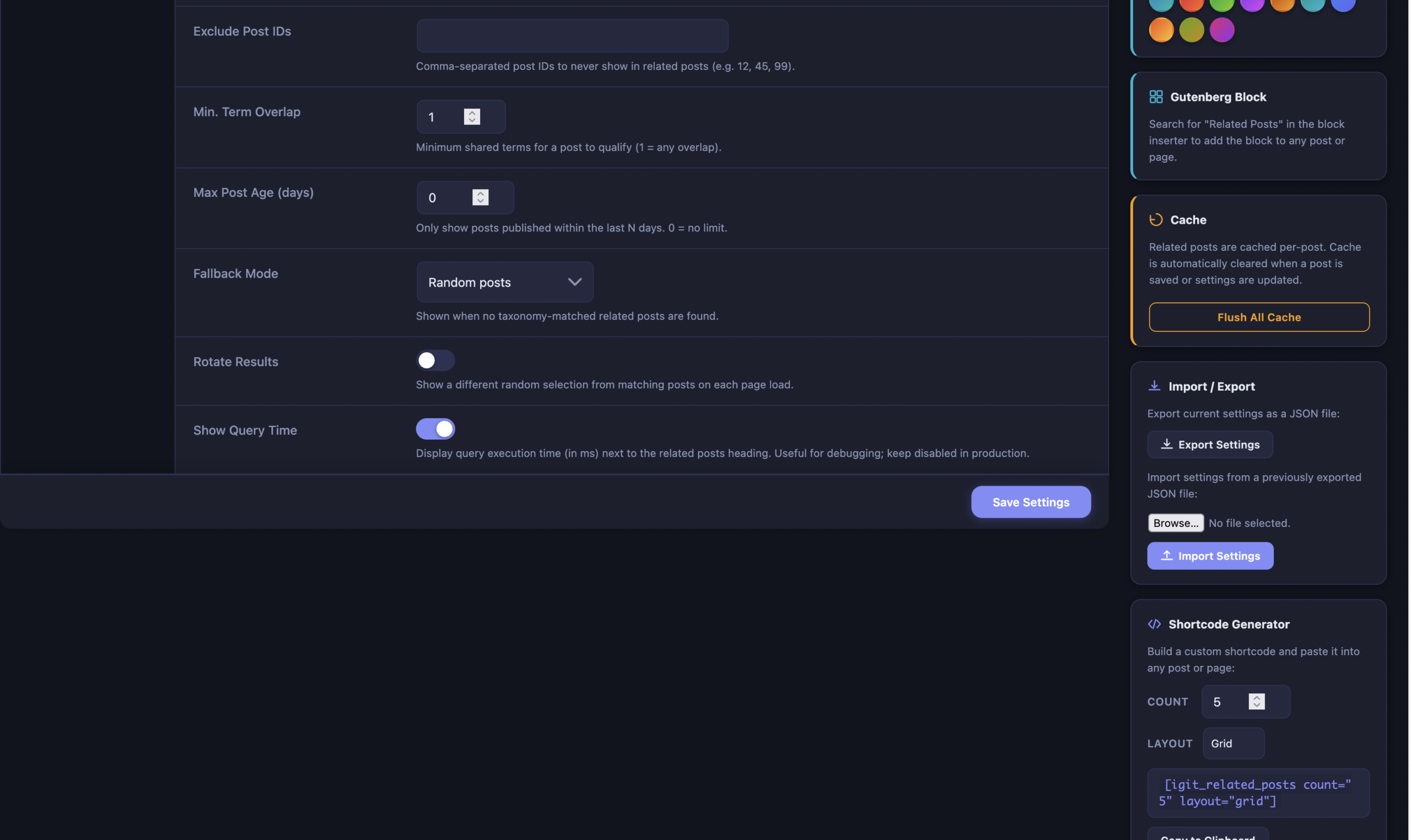
- Exclude specific posts — Enter comma-separated post IDs to permanently exclude
- Minimum term overlap — Require posts to share at least N taxonomy terms (1–5)
- Maximum post age — Only show posts published within the last N days (0 = no limit, up to 3,650 days)
- Fallback mode — When no related posts found: random posts, most recent, most commented, or nothing
- Rotate results — Shuffle the candidate pool on each page load
- Multi-taxonomy matching — Select which taxonomies to use when finding matches
- Multisite search — Search for related posts across other sites in the network
Built-In Caching System
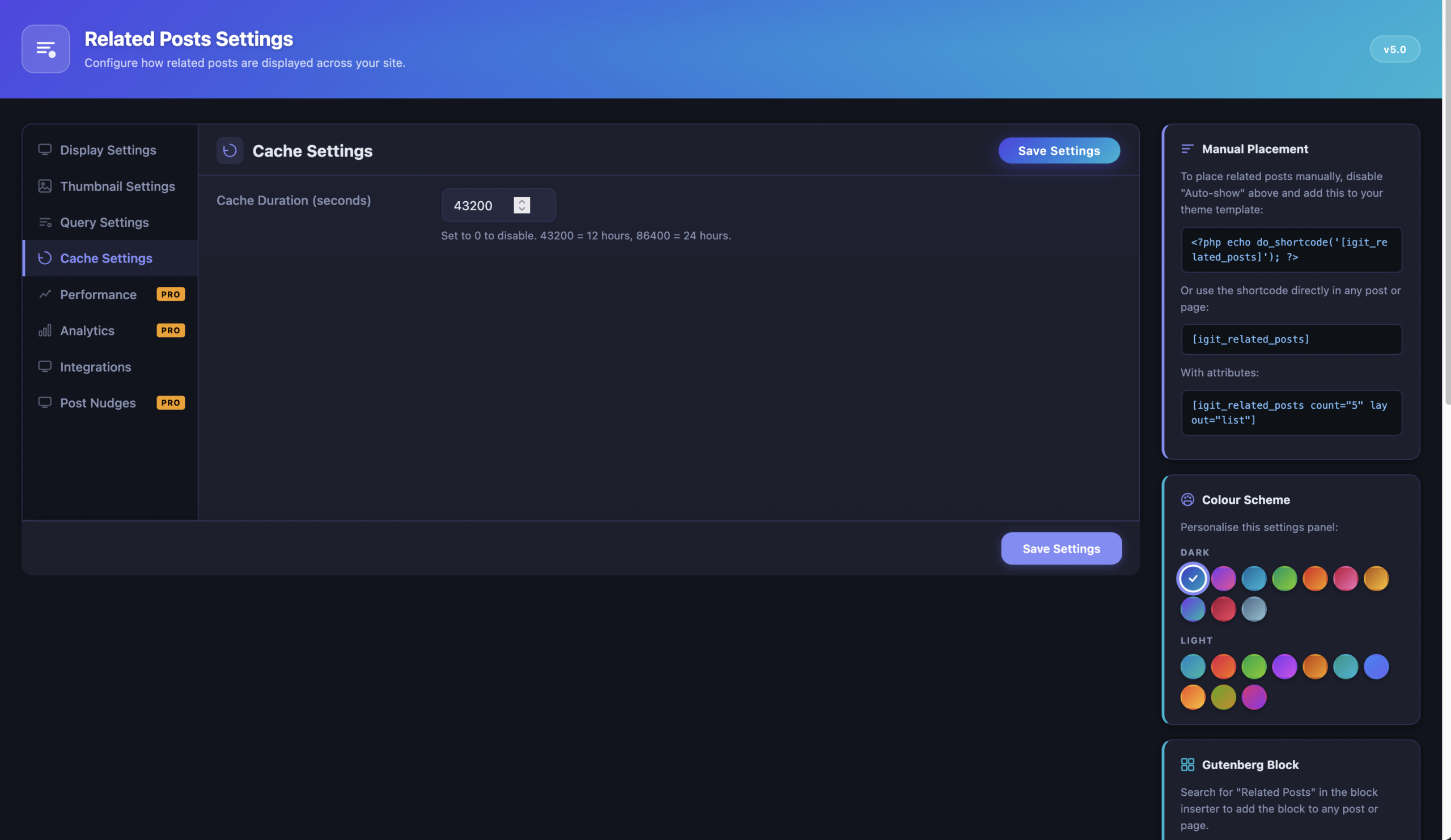
Related posts queries are cached using WordPress transients by default — or via your external object cache (Redis, Memcached) if available. The database query only runs once per post, then serves cached results for up to 12 hours (configurable from 0 seconds to 7 days).
- Cache is automatically invalidated when a post is saved or updated
- A manual “Flush Cache” button is available on the settings page
- Set cache duration to 0 to disable caching entirely (useful during development)
- On WordPress 6.1+, uses
wp_cache_flush_group()for efficient bulk cache clearing
Per-Post Overrides (Metabox)
Every post, page, and custom post type gets a “Related Posts Settings” meta box in the editor sidebar for post-by-post overrides:
- Disable related posts — Completely hide the related posts section on a specific post
- Custom post count — Override the global count (e.g., show 3 instead of 5)
- Custom layout — Use a different layout for this specific post
- Custom matching — Change how related posts are found
- Pinned posts — Enter comma-separated post IDs that always appear first
Shortcode Support
Place related posts anywhere in your content using the shortcode:
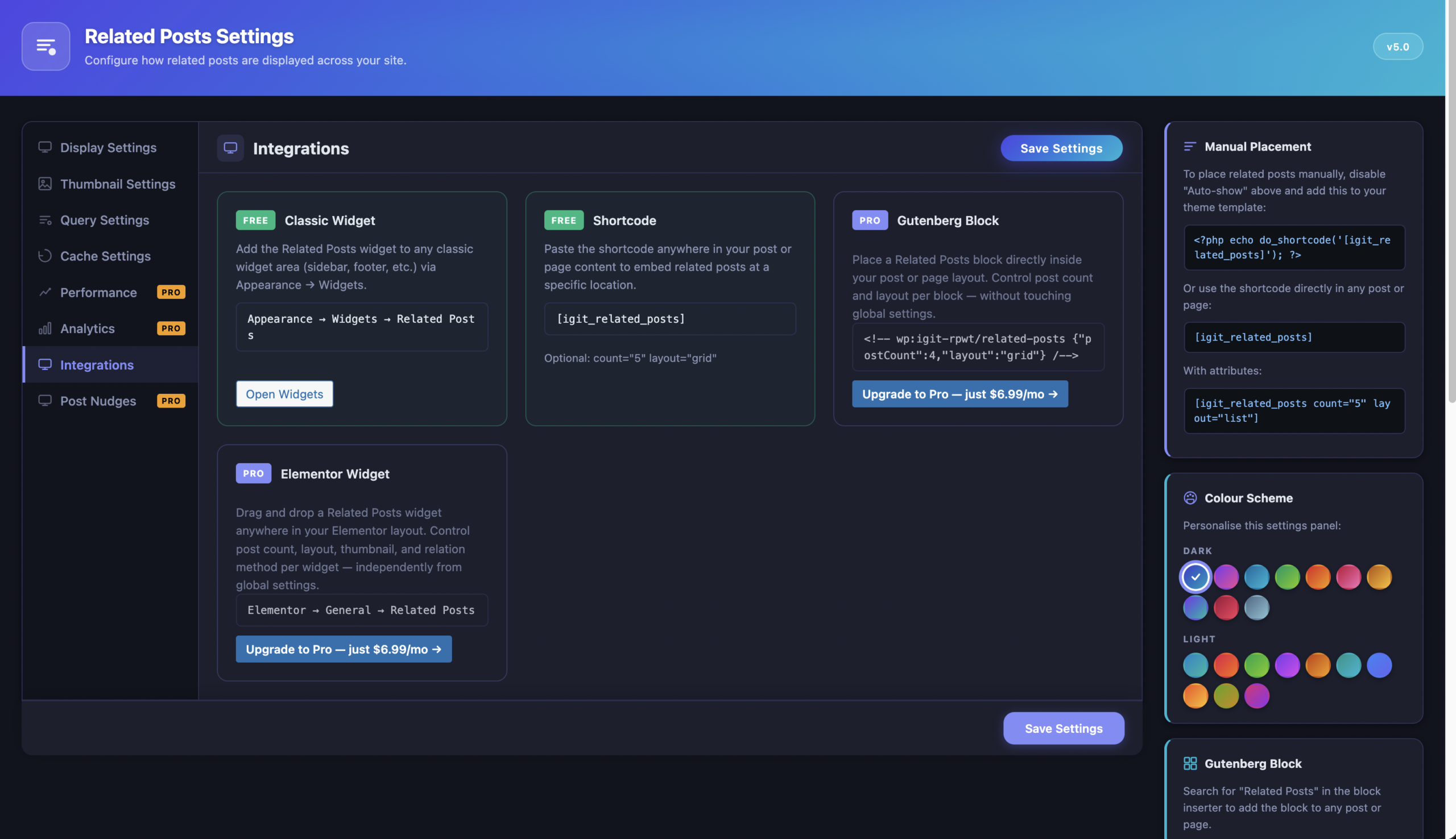
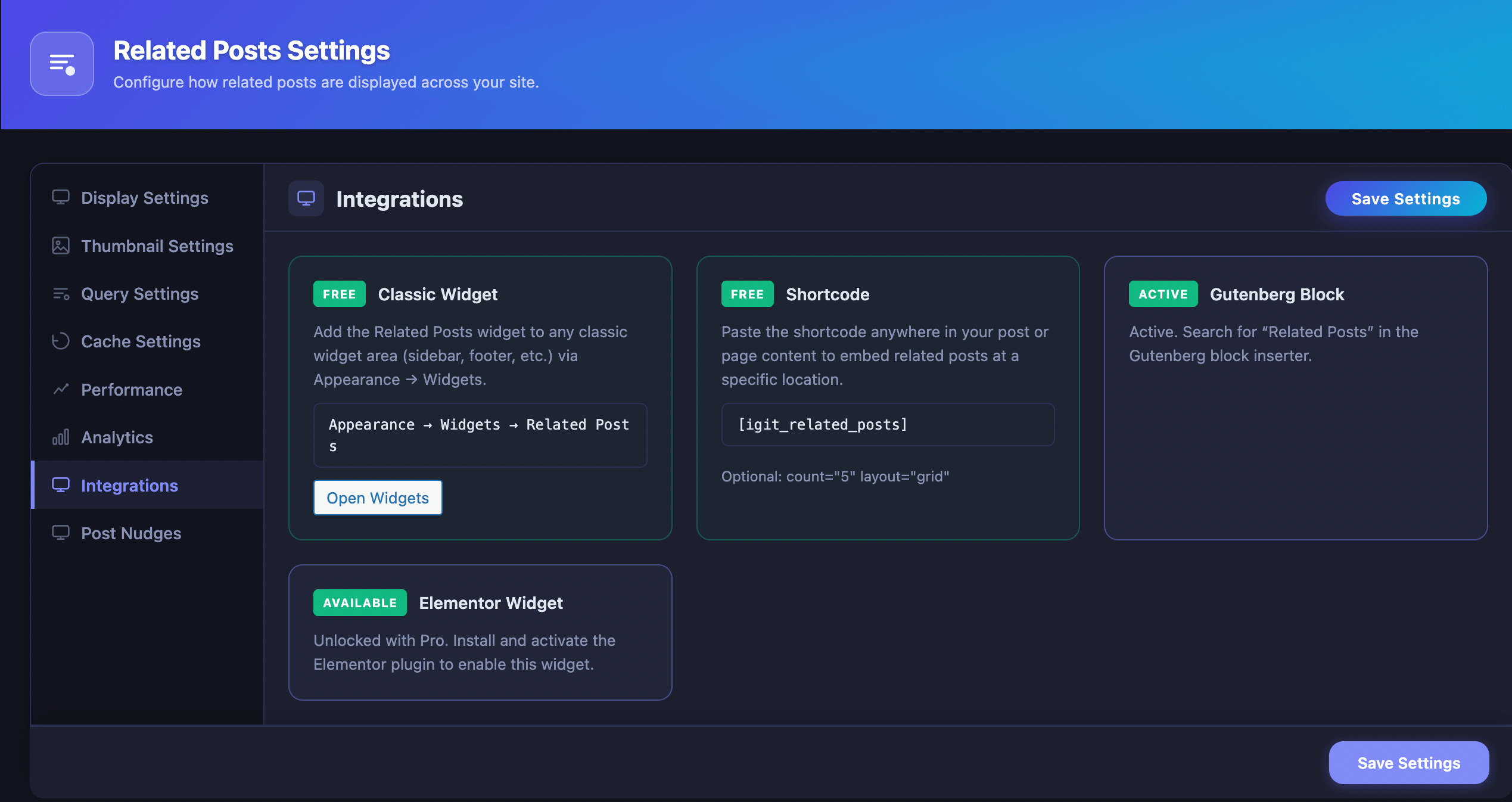
[igit_related_posts][igit_related_posts count="3" layout="list"]The count attribute controls how many posts to show, and layout sets the display style. Both are optional — they default to your global settings.
Classic WordPress Widget
A dedicated “Related Posts” widget is available under Appearance → Widgets. Drag it into any sidebar or widget area. It only renders on single post/page views and supports custom title, post count, and layout selection.
Series Taxonomy
The plugin registers a built-in Series taxonomy that lets you group posts into named series (e.g., “WordPress Beginner Guide”, “React Tutorial”). When using “Series” as your matching method, only posts in the same series appear as related — perfect for multi-part tutorials, course modules, or article series.
The Series taxonomy appears in the post editor sidebar, in the admin columns on the Posts list, and is fully compatible with the Gutenberg block editor via the REST API.
WP-CLI Commands
For developers and site administrators who manage WordPress from the command line:
# Flush all related-posts cacheswp igit-rpwt flush-cache# Flush cache for a single postwp igit-rpwt flush-cache --post-id=42Settings Import & Export
Easily transfer your plugin configuration between sites. Export downloads a timestamped JSON file with all settings. Import uploads a JSON file, re-sanitizes all values for security, and automatically flushes the cache.
Theme Template Override
Developers can completely customize the related posts HTML output by placing a template file at {your-theme}/igit-rpwt/template.php. The plugin will automatically use your custom template instead of the default one.
Developer Hooks & Filters
The plugin exposes 5 filters and 1 action for programmatic customization:
| Hook | Type | What It Does |
|---|---|---|
igit_rpwt_query_args | Filter | Modify WP_Query arguments before the related posts query |
igit_rpwt_related_posts | Filter | Modify the array of related post objects before caching/display |
igit_rpwt_output | Filter | Modify the final rendered HTML string |
igit_rpwt_template_file | Filter | Override which template file is used |
igit_rpwt_query_oversample_multiplier | Filter | Control the candidate pool size multiplier (default: 3×) |
igit_rpwt_fs_loaded | Action | Fires after Freemius SDK is initialized |

Pro Plugin — All Premium Features Explained
The IGIT Related Posts Pro add-on unlocks powerful features that transform the plugin from a display tool into a complete content engagement and analytics platform. It works as a companion alongside the free plugin — both must be active simultaneously.
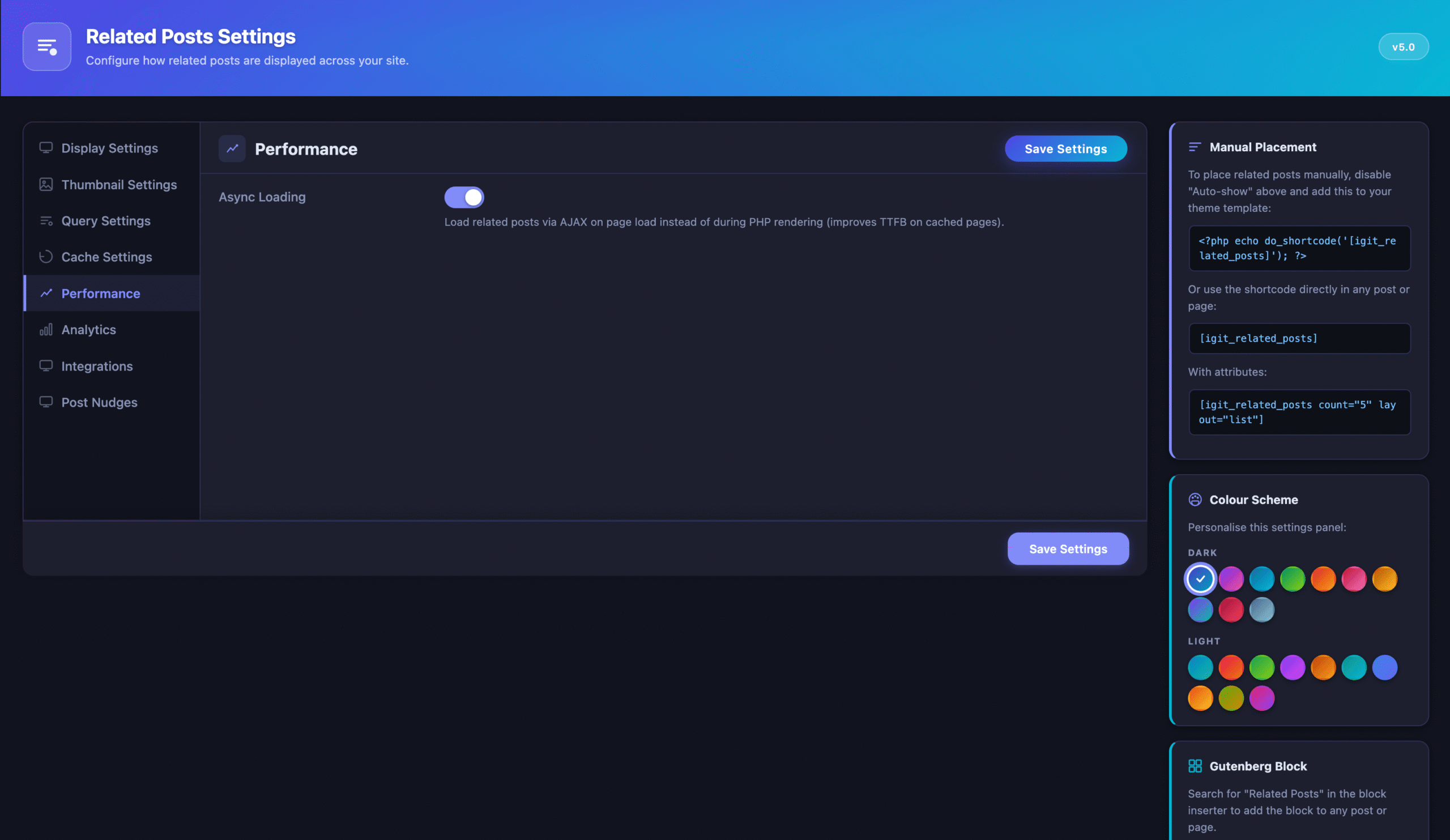
Async Loading — Faster Page Speed
This is the #1 performance feature in Pro. Instead of running the related posts database query during PHP page rendering (which adds to your server response time), async loading inserts a lightweight placeholder and loads the actual related posts via AJAX after the page has already been delivered to the browser.
Why this matters: If you use a full-page cache like WP Rocket, LiteSpeed Cache, or Cloudflare, the free plugin’s synchronous query adds latency to every uncached page hit. With async loading, your Time To First Byte (TTFB) improves because the HTML is delivered without waiting for the related posts query to complete.
Custom Post Type Support
The free version is locked to the standard WordPress post type. Pro unlocks all registered public post types — products (WooCommerce), courses (LearnDash, Tutor LMS), portfolios, events, testimonials, and any custom post type your theme or plugins register.
This means a WooCommerce store can show “Related Products” using the same powerful matching engine, or a course platform can show “Related Lessons” within each module.
Click Tracking Analytics
Ever wondered which related posts your visitors actually click? Pro tracks every click with a privacy-safe system that stores no personal information.
How it works:
- Records which post was displaying the related posts (source) and which related post was clicked (target)
- Uses a privacy-safe session hash (MD5 of IP + User Agent + date) — no raw personal data is ever stored
- Deduplicates clicks per visitor per day so clicking the same link 10 times only counts once
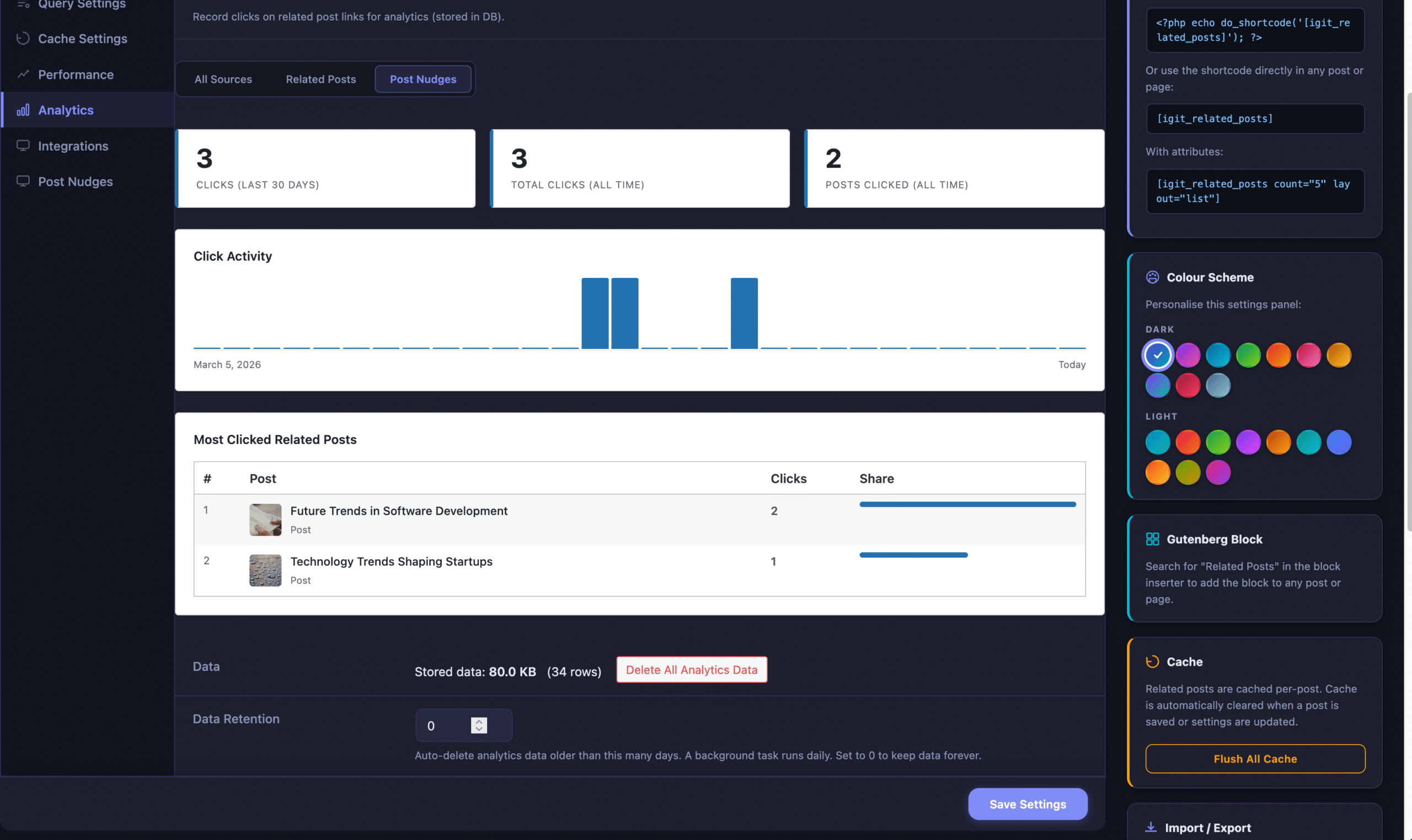
- Tracks clicks separately for the related posts widget vs. Post Nudges
- Includes a configurable data retention period — automatically purge old data via a daily background task
Analytics Dashboard
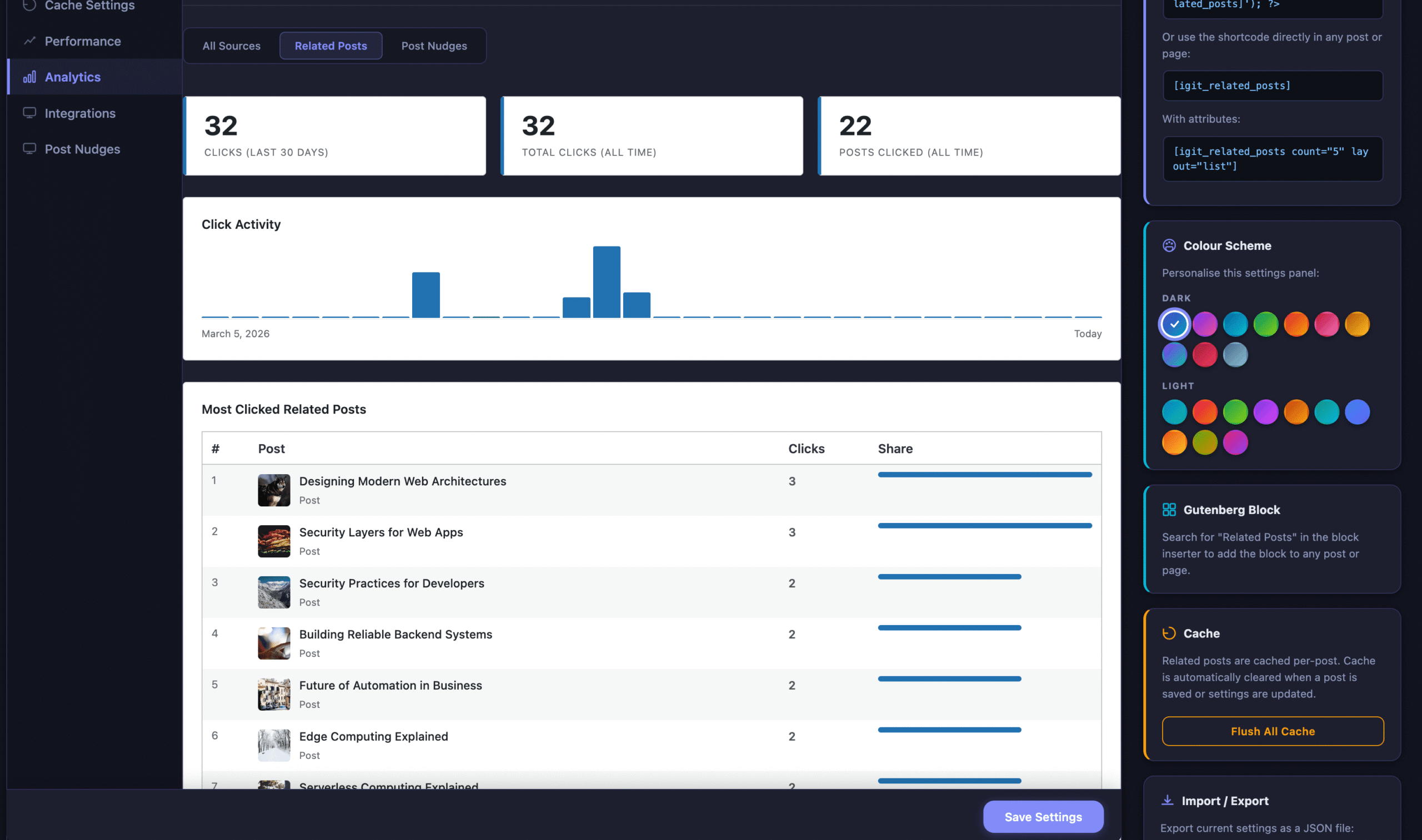
Pro adds a full analytics dashboard with summary statistics, a 30-day activity chart, and a ranked table of your most-clicked related posts.
- Summary cards — Clicks in last 30 days, total all-time, unique posts clicked, widget vs. nudge clicks
- Activity bar chart — Visual 30-day click history with color-coded bars
- Top posts table — Ranked list of 20 most-clicked posts with thumbnails, click counts, and share bars
- Source filter tabs — View all data, or filter by widget or nudge clicks only
- WP dashboard widget — “Related Posts – Top Clicked” on your main admin dashboard showing top 5 posts
- Data management — View table size and row count, with one-click “Delete All Analytics Data”
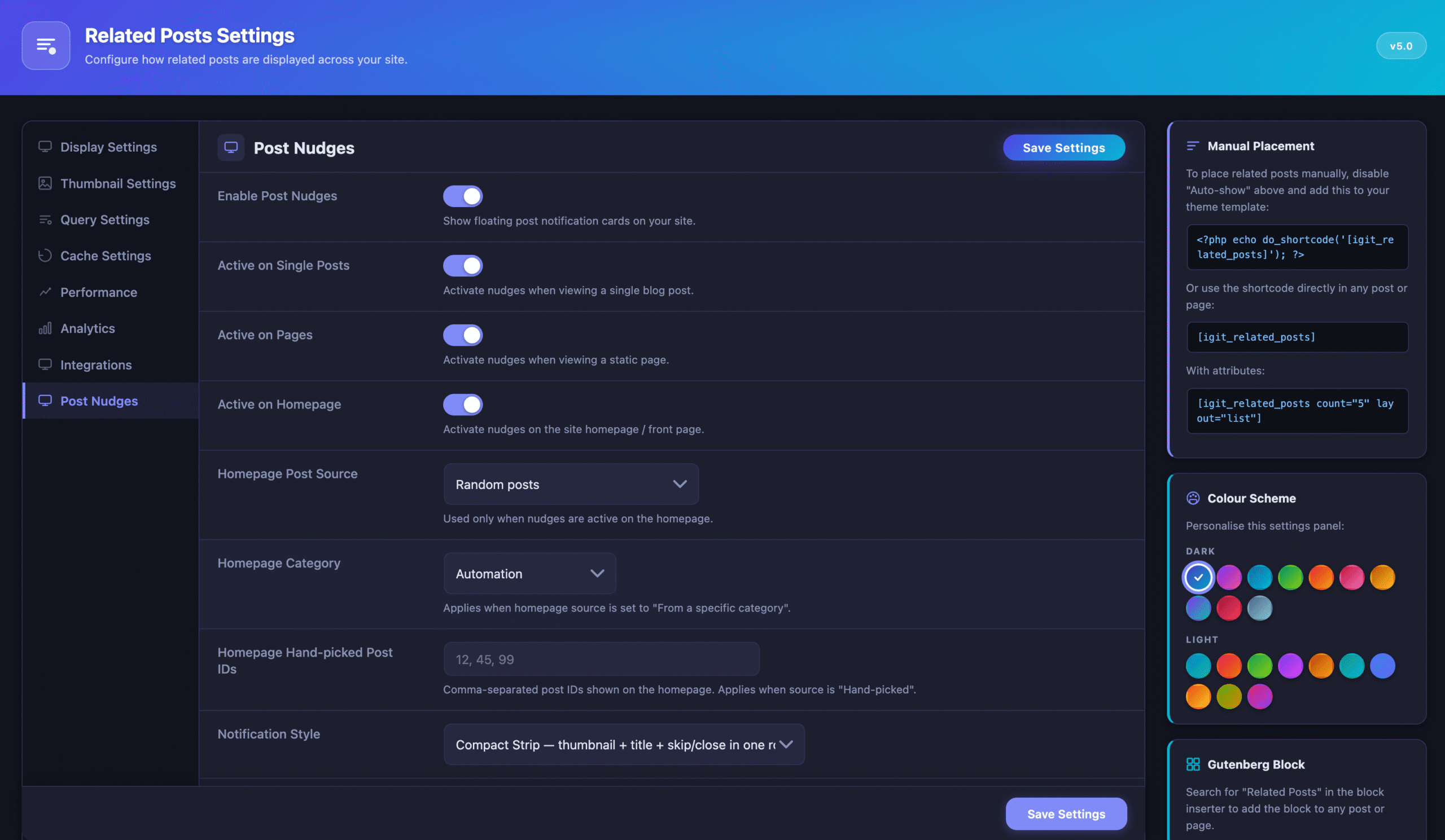
Post Nudges — Floating Notification Cards
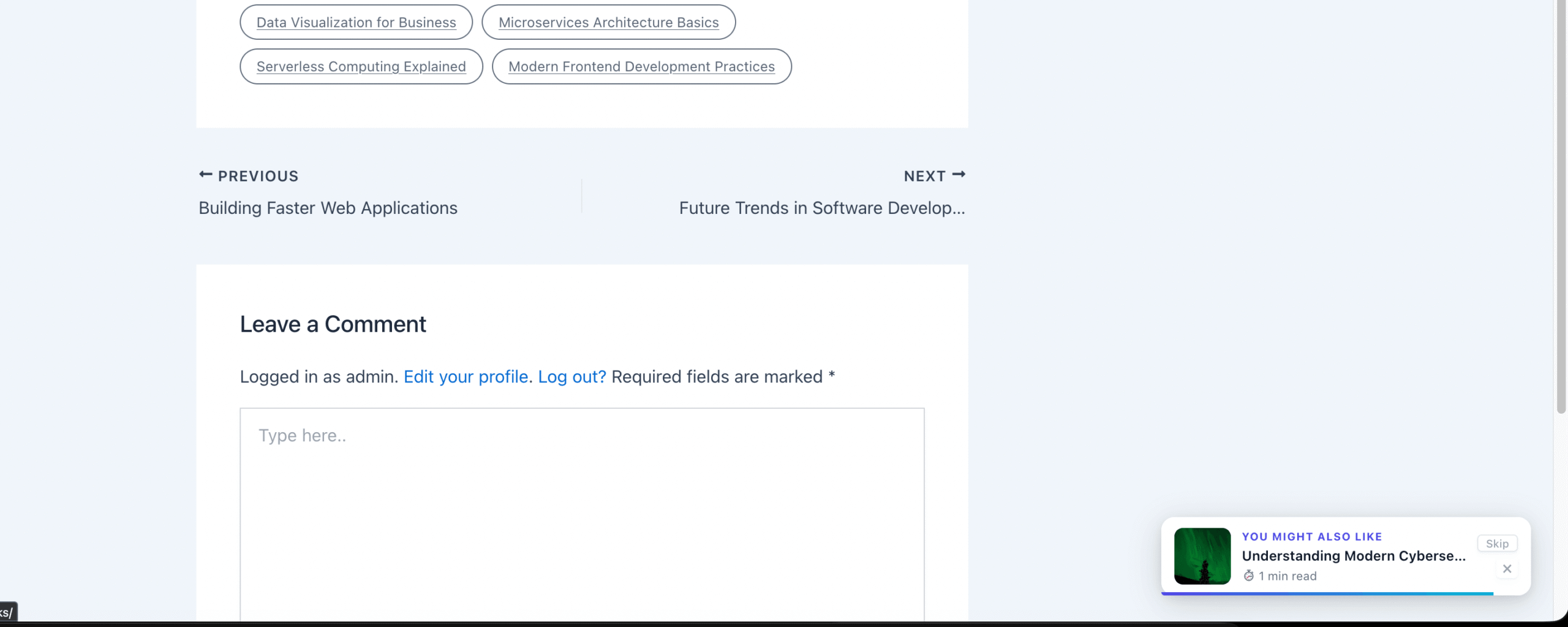
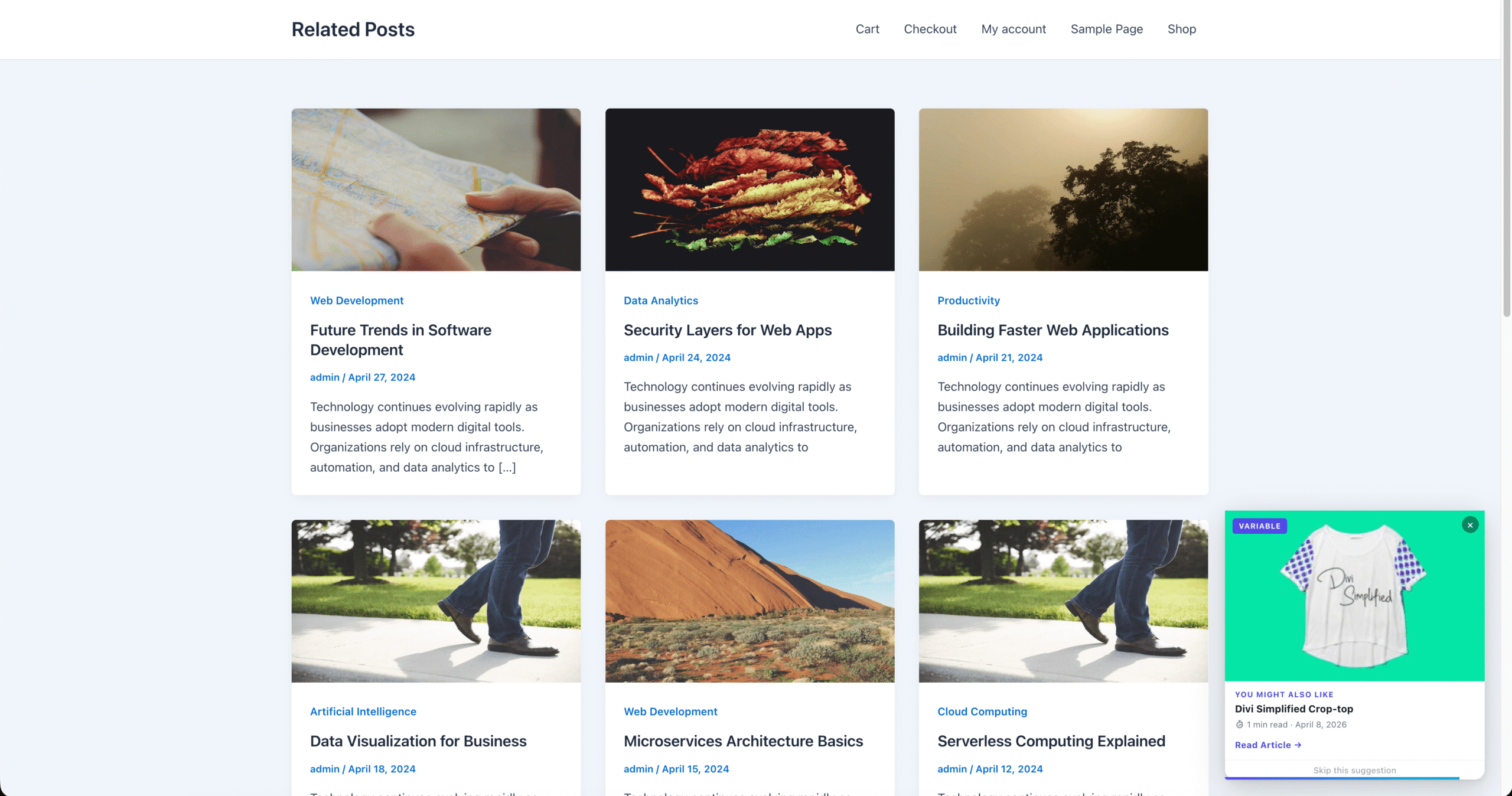
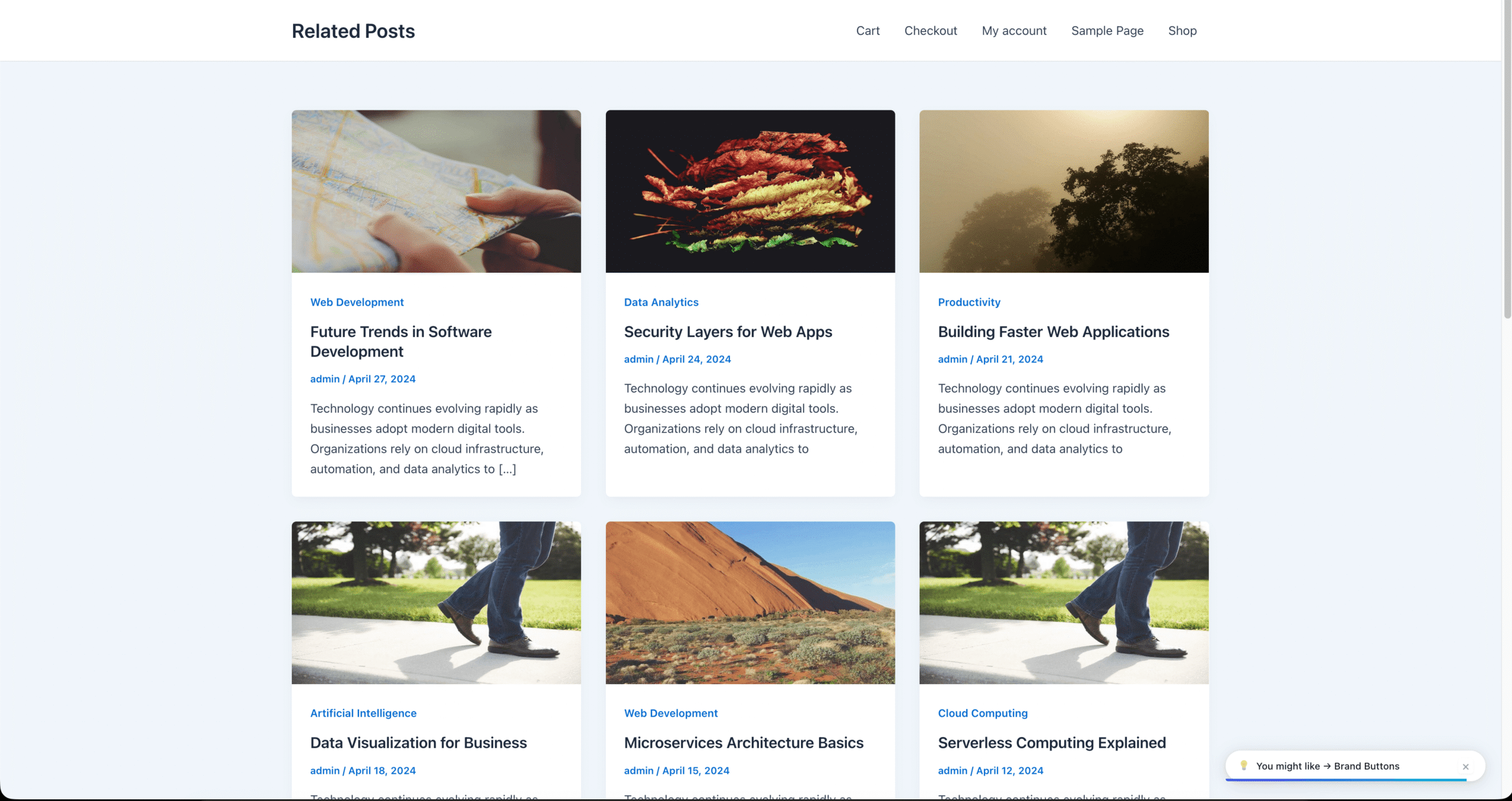
Post Nudges are a completely separate engagement system from inline related posts. They display floating notification cards in a corner of the screen that cycle through related or curated posts while visitors read — similar to social media notification pop-ups.
This means you get two engagement layers: the traditional related posts section at the bottom of articles, plus floating nudge cards that actively re-engage visitors mid-read.
3 Notification Styles
| Style | Description |
|---|---|
| Compact | One-row strip with small thumbnail, title, Skip/Close buttons. Low-profile and non-intrusive. |
| Card | Full-height card with large thumbnail, category badge, title, reading time, date, and “Read Article →” button. |
| Minimal | Single-line pill with just an icon, text, and close button. Smallest possible footprint. |
Full Customization Controls
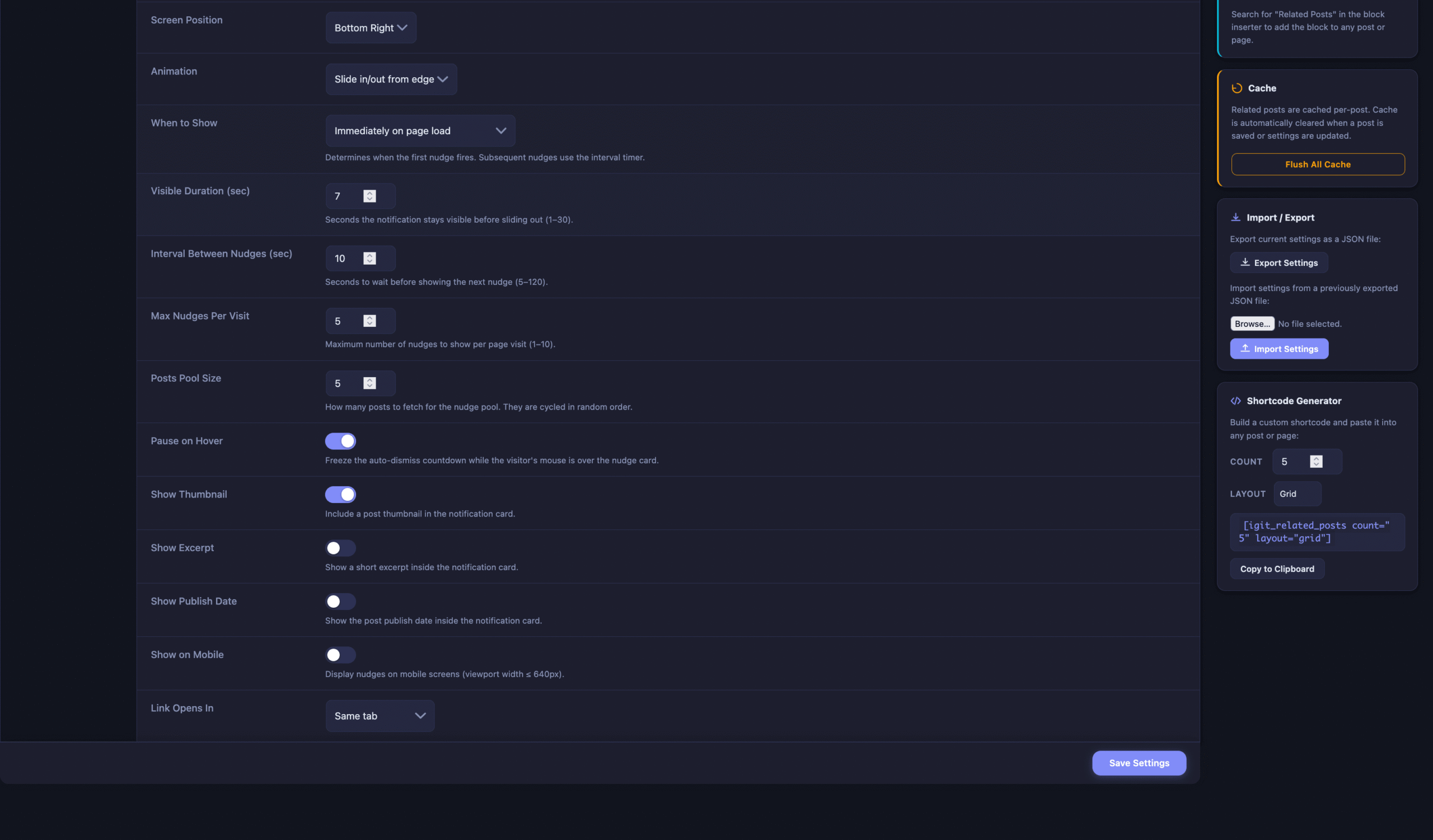
- 4 screen positions — Bottom-right, bottom-left, top-right, or top-left
- 10 entrance animations — Slide, fade, bounce, flip, zoom, swing, pop, rubber band, roll, drop
- 3 trigger modes — Immediately, after 50% scroll, or on exit-intent
- Timing controls — Duration (1–30s), interval (5–120s), max per visit (1–10)
- Pause on hover — Auto-dismiss countdown freezes on hover
- Display options — Show/hide thumbnail, excerpt, date; control link target
- Mobile toggle — Enable or disable on mobile (≤640px)
Where Nudges Can Appear
- Single posts — Related posts from same categories
- Pages — Related posts from same categories
- Homepage — With 5 content sources: latest, most popular, random, specific category, or hand-picked IDs
Gutenberg Block (Pro Only)
Pro activates a native Gutenberg block called “Related Posts” that you can drag and drop into any post or page using the WordPress block editor. The block supports wide and full-width alignment, with configurable post count and layout — all without touching any code.
Elementor Widget (Pro Only)
For Elementor users, Pro registers a dedicated “Related Posts” Elementor widget with full controls in the Elementor panel: post count, layout, matching method, show/hide thumbnail, and show/hide excerpt. It uses the same rendering pipeline as the rest of the plugin, ensuring consistent output.
Pro WP-CLI Commands
Pro unlocks additional WP-CLI commands for managing analytics from the terminal:
# View top clicked posts (last 30 days)wp igit-rpwt stats# View last 7 days, top 10 postswp igit-rpwt stats --days=7 --limit=10# All-time statswp igit-rpwt stats --days=0# Create/verify analytics database tablewp igit-rpwt create-table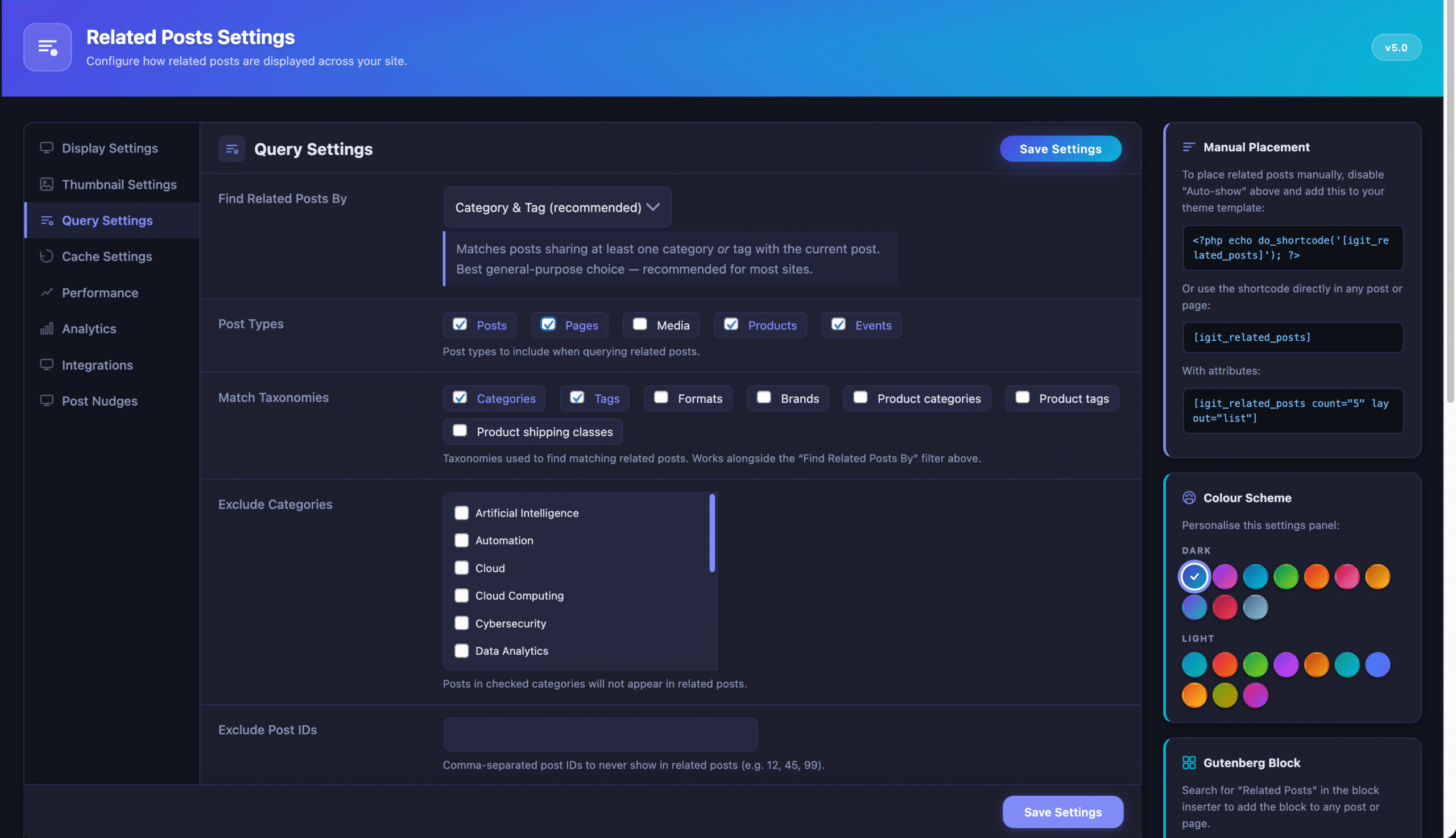
Ready to Unlock the Full Power?
Get async loading, click analytics, post nudges, Gutenberg block, Elementor widget, and custom post type support — everything you need to turn your blog into a content engagement machine.
Secure payment powered by Freemius · Instant license delivery · Cancel anytime
Free vs Pro — Complete Feature Comparison
Use this table to see exactly what is included in each version. Every feature listed below was verified directly from the plugin source code.
| Feature | Free | Pro |
|---|---|---|
| Display & Layouts | ||
| Auto-append after post content | ✅ | ✅ |
| 6 layouts (Grid, List, Compact, Masonry, Carousel, Chip) | ✅ | ✅ |
| Responsive grid columns (desktop / tablet / mobile) | ✅ | ✅ |
| Smart 5-level image fallback | ✅ | ✅ |
| Show title, excerpt, date, reading time, comments, badge | ✅ | ✅ |
| Custom heading, nofollow, new tab, custom CSS | ✅ | ✅ |
| Query & Matching | ||
| 6 matching modes (category, tag, both, full-text, author, series) | ✅ | ✅ |
| Exclude categories and specific post IDs | ✅ | ✅ |
| Min term overlap, max age, fallback, rotate results | ✅ | ✅ |
| Custom post type support (all public CPTs) | ❌ | ✅ |
| Multisite cross-network search | ✅ | ✅ |
| Caching & Performance | ||
| Transient caching + external object cache | ✅ | ✅ |
| Configurable TTL (0–7 days) + manual flush | ✅ | ✅ |
| Async/AJAX loading (reduces TTFB) | ❌ | ✅ |
| Per-Post Overrides | ||
| Disable, custom count, layout, matching, pinned posts | ✅ | ✅ |
| Placement Options | ||
| Shortcode [igit_related_posts] | ✅ | ✅ |
| Classic WordPress widget | ✅ | ✅ |
| Gutenberg block | ❌ | ✅ |
| Elementor widget | ❌ | ✅ |
| Theme template override | ✅ | ✅ |
| Analytics | ||
| Click tracking (widget & nudge, privacy-safe) | ❌ | ✅ |
| Analytics dashboard (chart, table, stat cards) | ❌ | ✅ |
| WordPress dashboard widget | ❌ | ✅ |
| Data retention & auto-purge cron | ❌ | ✅ |
| Post Nudges | ||
| Floating notification cards (3 styles, 10 animations) | ❌ | ✅ |
| 4 positions, 3 triggers, timing, pause on hover | ❌ | ✅ |
| Activate on posts, pages, homepage (5 sources) | ❌ | ✅ |
| Mobile toggle, link target, thumbnail/excerpt/date | ❌ | ✅ |
| Developer Tools | ||
| WP-CLI: flush-cache | ✅ | ✅ |
| WP-CLI: stats & create-table | ❌ | ✅ |
| Settings import/export (JSON) | ✅ | ✅ |
| Filter hooks API (5 filters + 1 action) | ✅ | ✅ |
Why Upgrade to Pro?
⚡ Faster Page Speed
Async loading moves the database query off the critical rendering path. Your pages deliver HTML faster, improving Core Web Vitals and TTFB — especially on cached sites.
📊 Data-Driven Decisions
Click analytics show you which content resonates. Stop guessing — see which posts visitors click, which sources drive traffic, and refine your content strategy.
🔔 Double Engagement
Post Nudges give you a second engagement layer. Visitors see floating cards while reading, not just at the article bottom — leading to more clicks and lower bounce rates.
🧩 CPT Support
WooCommerce products, LearnDash courses, portfolio items, events — Pro unlocks related content for every custom post type on your site.
🎨 Visual Page Builders
Native Gutenberg block and Elementor widget with per-instance controls. Place related posts anywhere visually — no shortcodes needed.
🏠 Homepage Nudges
Nudges work on your homepage with 5 content sources — latest, popular, random, by category, or hand-picked IDs. Drive recirculation from your #1 entry page.
Who Should Use Which Version?
✅ The Free Version Is Perfect For:
- Personal bloggers who write standard blog posts and want related articles to appear automatically with zero setup
- Small sites on a budget that need basic “more posts” functionality without analytics overhead
- Developers evaluating the plugin before purchasing a Pro license for client projects
- Sites with limited content where engagement analytics and nudge cards are not yet necessary
- Theme developers who want to template-override the output for custom designs
- Any site using only the standard post type — the free version is fully featured for this use case
🚀 Upgrade to Pro If You:
- Care about page speed — Run WP Rocket, LiteSpeed, or Cloudflare and want lowest TTFB via async loading
- Need content analytics — Want to know which related posts visitors click for data-driven decisions
- Use custom post types — WooCommerce products, online courses, portfolios, events need related content too
- Want to reduce bounce rate — Post Nudges actively re-engage visitors mid-article
- Build with Elementor or Gutenberg — Native widgets with visual controls, no shortcodes needed
- Manage a large or multi-author site — WP-CLI analytics, data retention cron, fine-grained controls
- Run a WordPress multisite — Cross-site related posts with CPT support across your network
Frequently Asked Questions
No. The free version includes transient caching that stores query results so the database is only hit once per post (cached for up to 12 hours by default). The Pro version goes further with async loading, which moves the query entirely off the main page render — meaning zero impact on your page load time.
Yes. The Pro plugin is a companion add-on — it extends the free plugin. Both must be installed and active simultaneously. Pro does not replace the free version.
The plugin uses a privacy-safe approach. It creates a one-way hash (MD5) from the visitor’s IP address, User Agent, and current date — then discards the raw data. No personally identifiable information is ever stored in the database. The hash cannot be reversed to identify a person.
Yes, in three ways: (1) Use the Custom CSS field for styling changes, (2) Place a custom template at {your-theme}/igit-rpwt/template.php for full HTML control, or (3) Use the igit_rpwt_output filter to modify the rendered HTML programmatically.
The Pro version supports all custom post types, including WooCommerce products. You can show related products on product pages using category, tag, or content similarity matching.
You choose the fallback behavior: show random posts, most recent posts, most commented posts, or nothing at all. The “no posts found” message text is also customizable.